> ## Documentation Index
> Fetch the complete documentation index at: https://wiki.toptutors.com/llms.txt
> Use this file to discover all available pages before exploring further.

# Tilføj bankoplysninger

> Sådan tilføjer du din udbetalingsmetode via Stripe

For at kunne modtage dine betalinger skal du oprette en udbetalingsmetode på platformen.

## Trin-for-trin guide

<Steps>
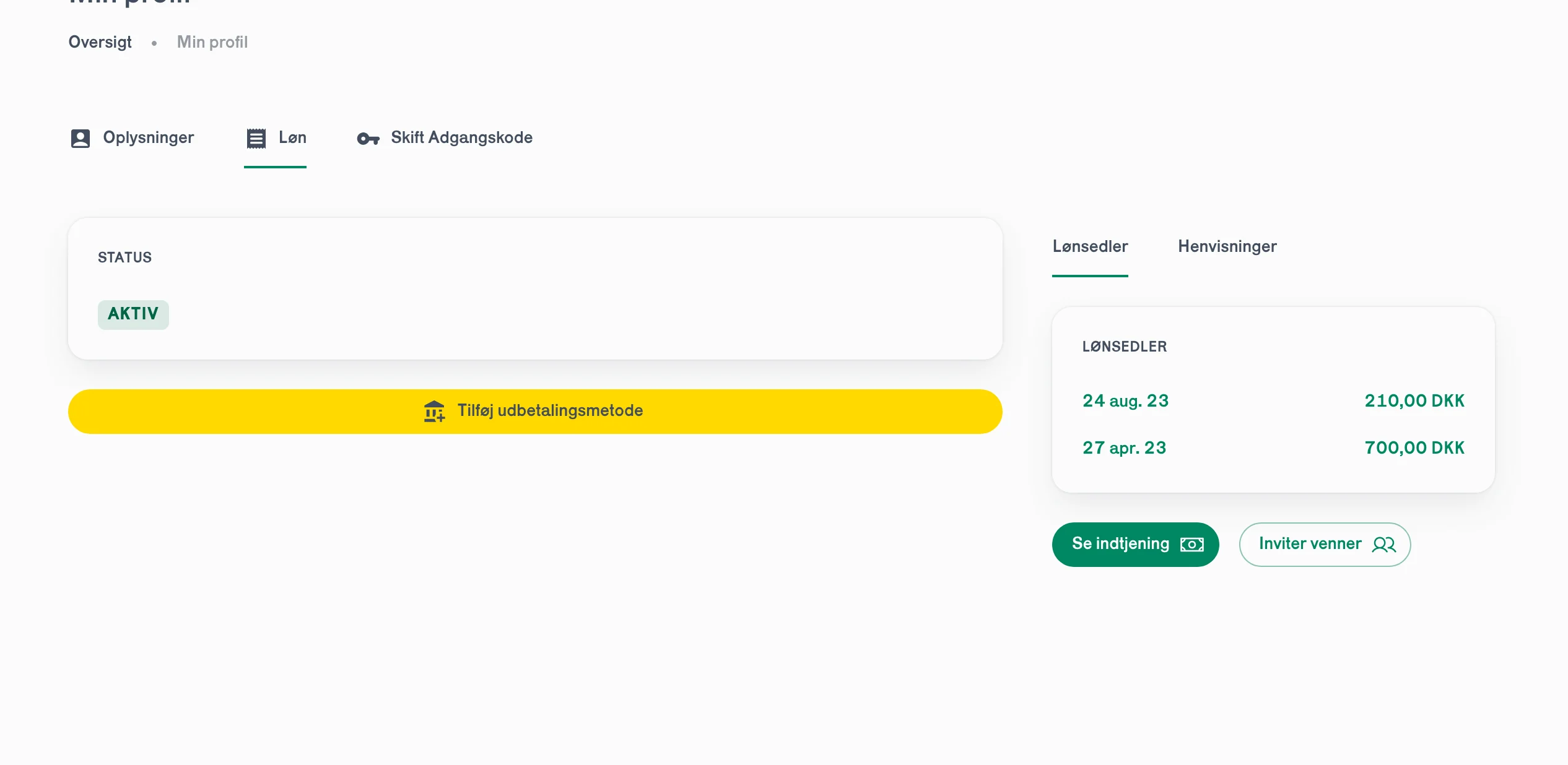
  <Step title="Gå til &#x22;Min profil&#x22; > &#x22;Løn&#x22;">
    Klik på **"Tilføj udbetalingsmetode"**.
    <Frame>
      <img src="https://mintcdn.com/toptutors/Yqr0pPq5KoozPyVO/generel-information/loen/images/bank-1.png?fit=max&auto=format&n=Yqr0pPq5KoozPyVO&q=85&s=681ebbc95e8015db6cf3d9c2f441c8e2" alt="Tilføj udbetalingsmetode knap" width="2532" height="1236" data-path="generel-information/loen/images/bank-1.png" />
    </Frame>
  </Step>

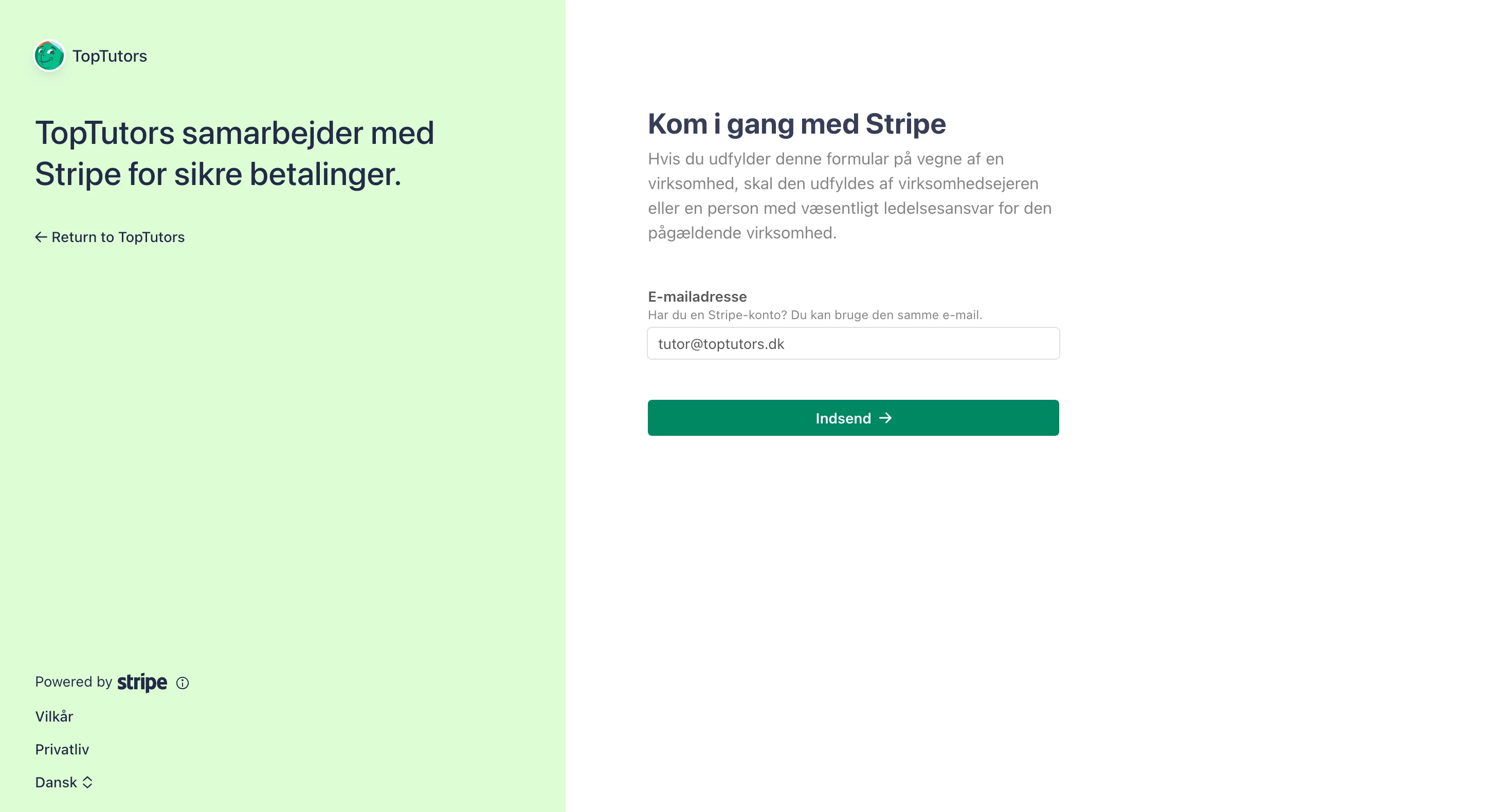
  <Step title="Opret Stripe konto">
    Brug den **samme email** som er tilknyttet din Toptutors konto.
    <Frame>
      <img src="https://mintcdn.com/toptutors/Yqr0pPq5KoozPyVO/generel-information/loen/images/bank-2a.png?fit=max&auto=format&n=Yqr0pPq5KoozPyVO&q=85&s=82605444acf05a2bb5a894e3766ca7db" alt="Stripe kontooprettelse - email" width="2892" height="1580" data-path="generel-information/loen/images/bank-2a.png" />
    </Frame>
  </Step>

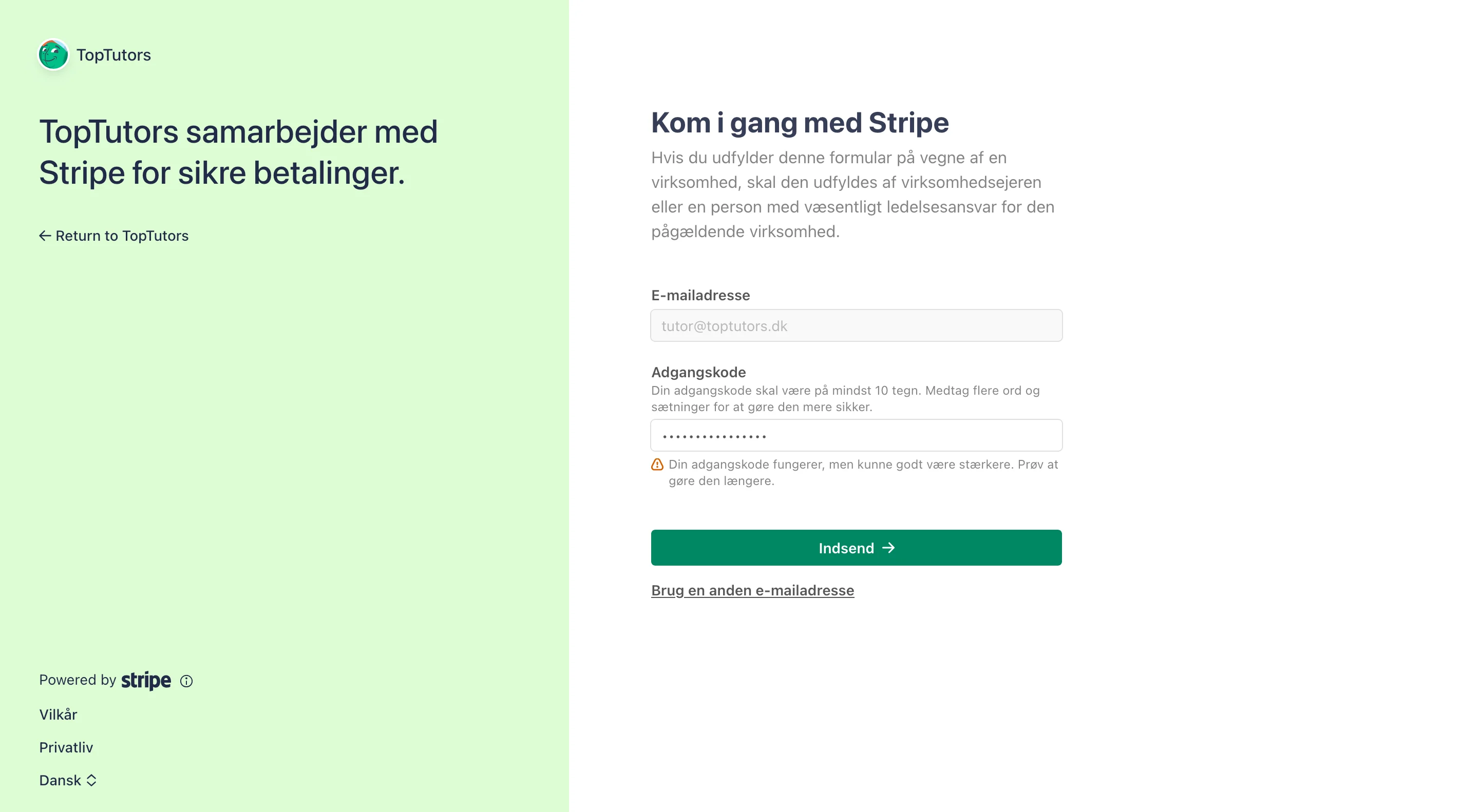
  <Step title="Vælg adgangskode">
    Vælg en adgangskode til din Stripe profil.
    <Frame>
      <img src="https://mintcdn.com/toptutors/Yqr0pPq5KoozPyVO/generel-information/loen/images/bank-2b.png?fit=max&auto=format&n=Yqr0pPq5KoozPyVO&q=85&s=4b618ba8d64021230769c45be1079c6a" alt="Stripe adgangskode" width="2880" height="1582" data-path="generel-information/loen/images/bank-2b.png" />
    </Frame>
  </Step>

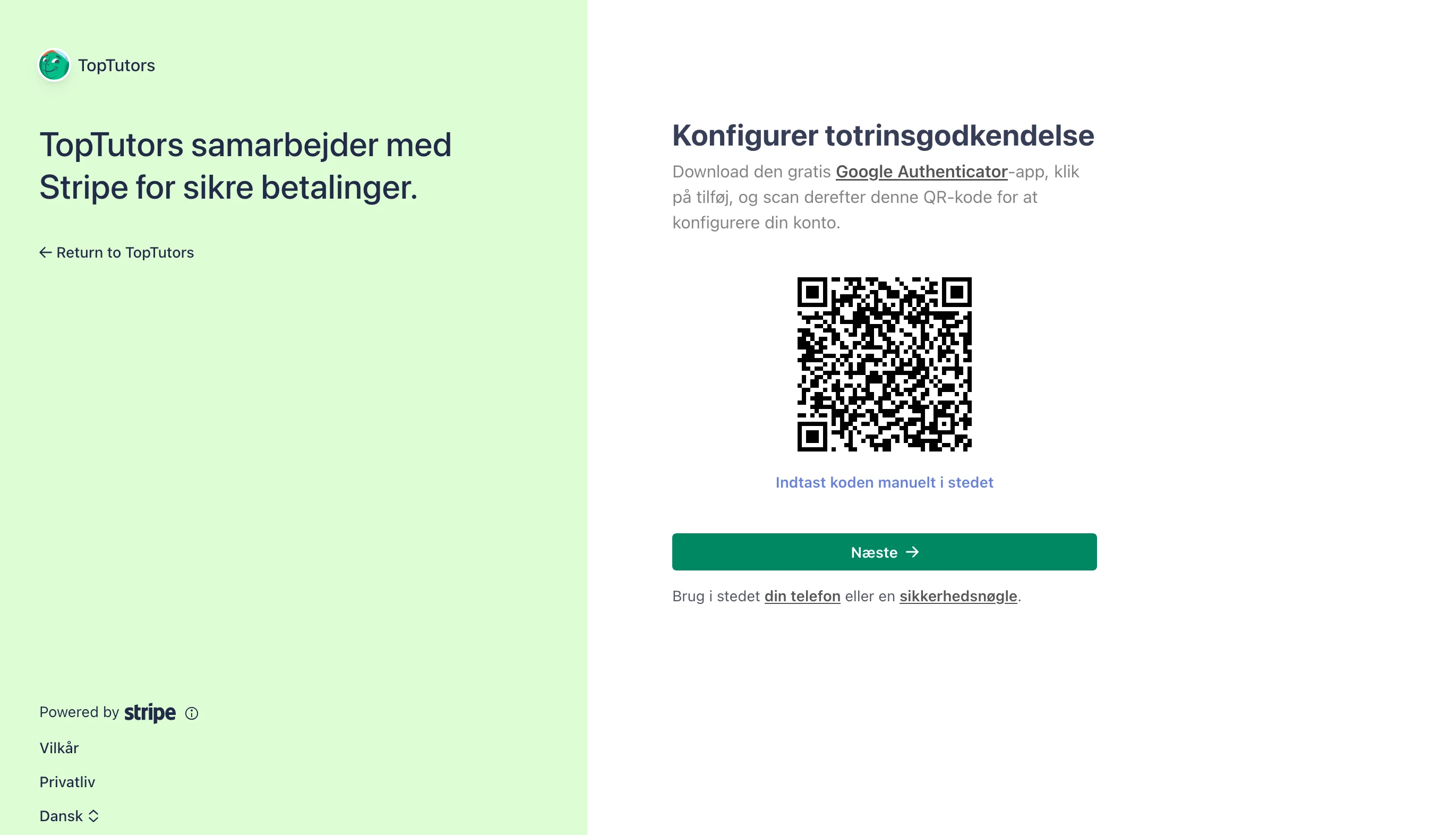
  <Step title="Totrinsgodkendelse">
    Vi anbefaler at bruge din telefon til totrinsgodkendelse.
    <Frame>
      <img src="https://mintcdn.com/toptutors/Yqr0pPq5KoozPyVO/generel-information/loen/images/bank-2c.png?fit=max&auto=format&n=Yqr0pPq5KoozPyVO&q=85&s=409d3fb9fca8565febbe1f7d31fc6e13" alt="Stripe totrinsgodkendelse" width="2742" height="1572" data-path="generel-information/loen/images/bank-2c.png" />
    </Frame>
  </Step>

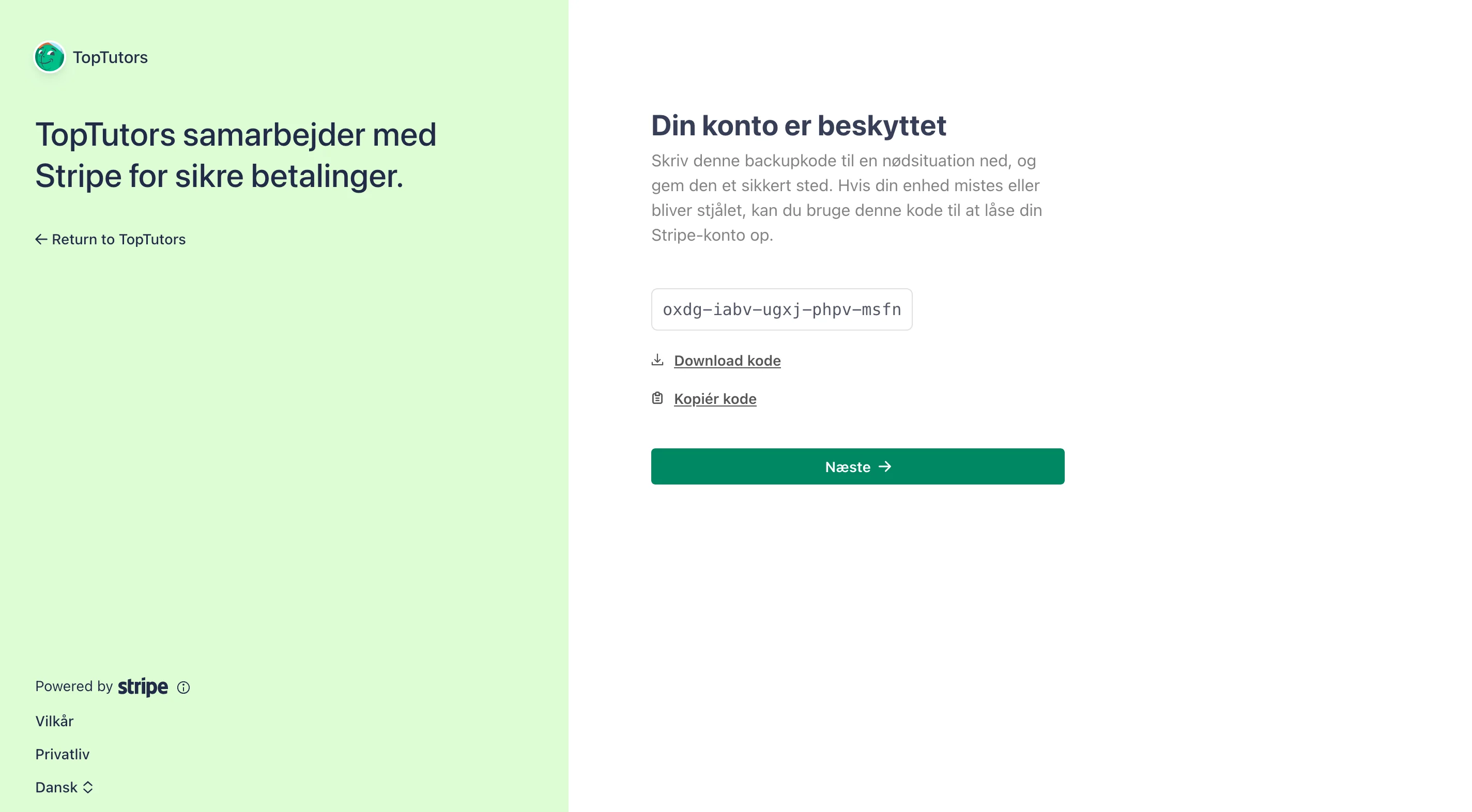
  <Step title="Gem backup kode valgfrit">
    For ekstra sikkerhed kan du gemme din backup kode, men det er ikke nødvendigt.
    <Frame>
      <img src="https://mintcdn.com/toptutors/Yqr0pPq5KoozPyVO/generel-information/loen/images/bank-2d.png?fit=max&auto=format&n=Yqr0pPq5KoozPyVO&q=85&s=ffe281557d45ed84445a1f4f74e9024a" alt="Stripe backup kode" width="2848" height="1572" data-path="generel-information/loen/images/bank-2d.png" />
    </Frame>
  </Step>

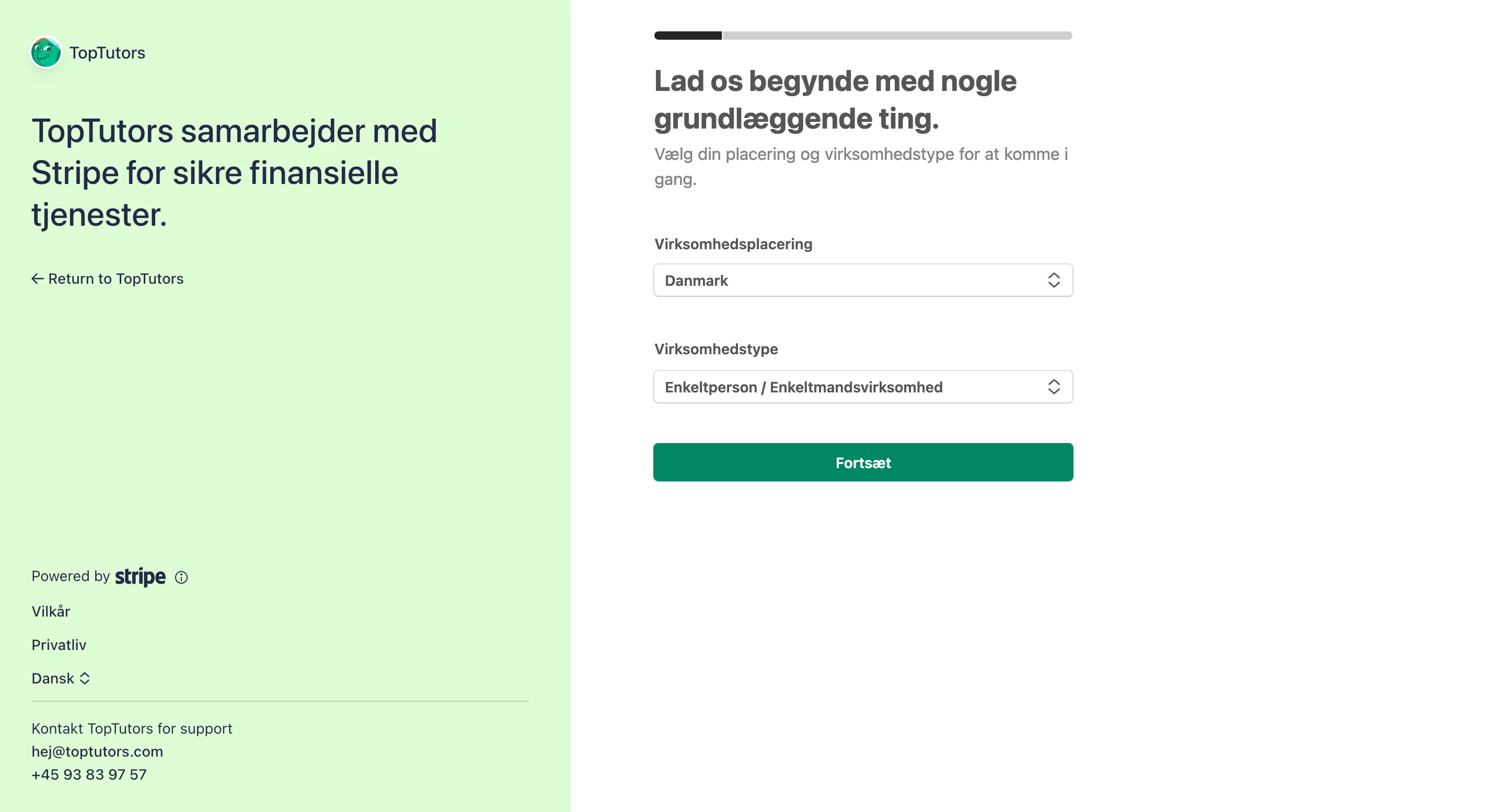
  <Step title="Vælg placering og type">
    Vælg placering **Danmark** og type **Enkeltperson**.
    <Frame>
      <img src="https://mintcdn.com/toptutors/Yqr0pPq5KoozPyVO/generel-information/loen/images/bank-2e.png?fit=max&auto=format&n=Yqr0pPq5KoozPyVO&q=85&s=06e94802f5f49e3175a0e59981567470" alt="Stripe placering og type" width="2870" height="1554" data-path="generel-information/loen/images/bank-2e.png" />
    </Frame>
  </Step>

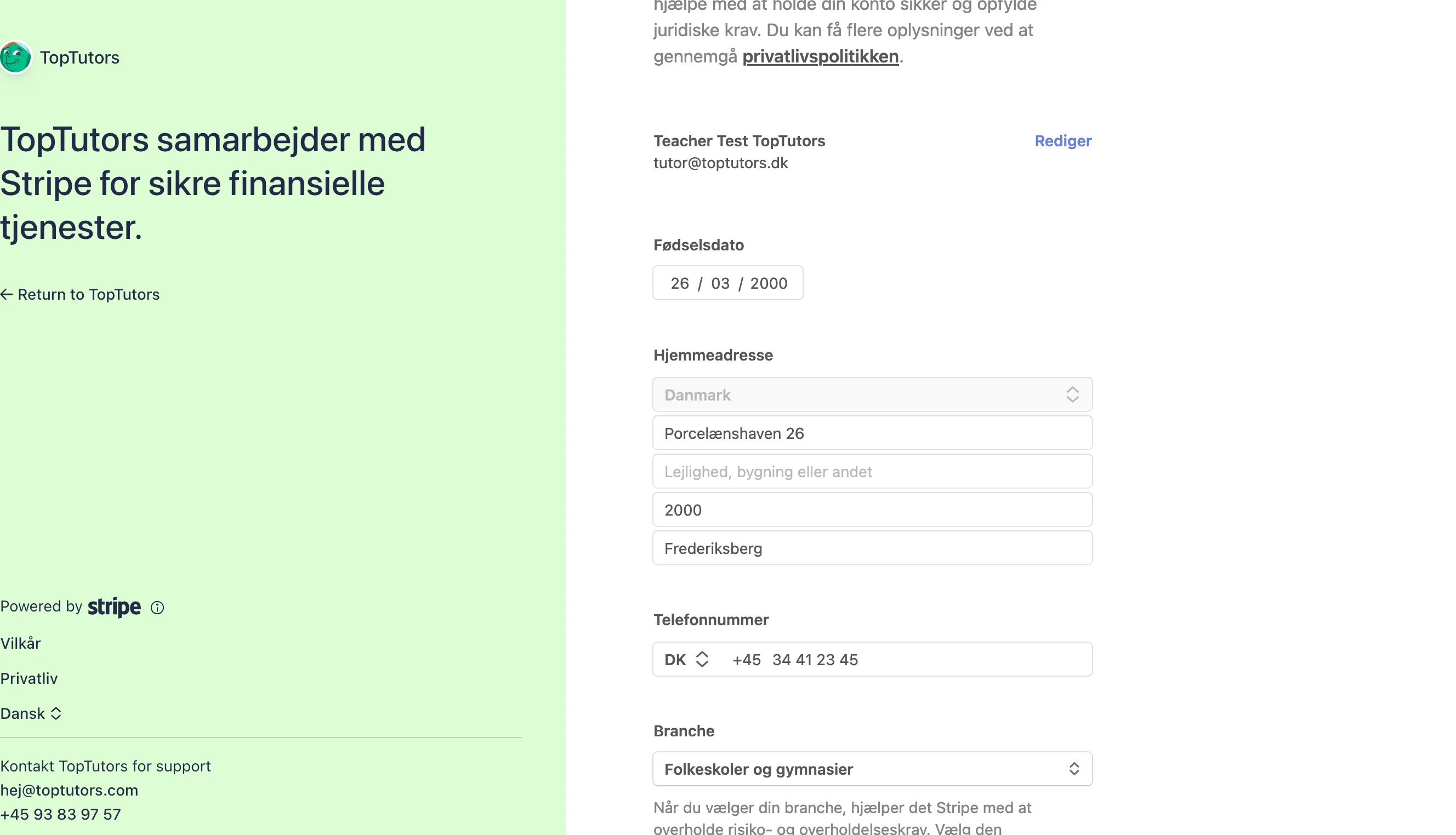
  <Step title="Udfyld personlige oplysninger">
    Udfyld dine personlige oplysninger som anmodet.
    <Frame>
      <img src="https://mintcdn.com/toptutors/Yqr0pPq5KoozPyVO/generel-information/loen/images/bank-2f.png?fit=max&auto=format&n=Yqr0pPq5KoozPyVO&q=85&s=d438f0d98bd6752e0b1b72df725289e2" alt="Stripe personlige oplysninger" width="2656" height="1524" data-path="generel-information/loen/images/bank-2f.png" />
    </Frame>
  </Step>

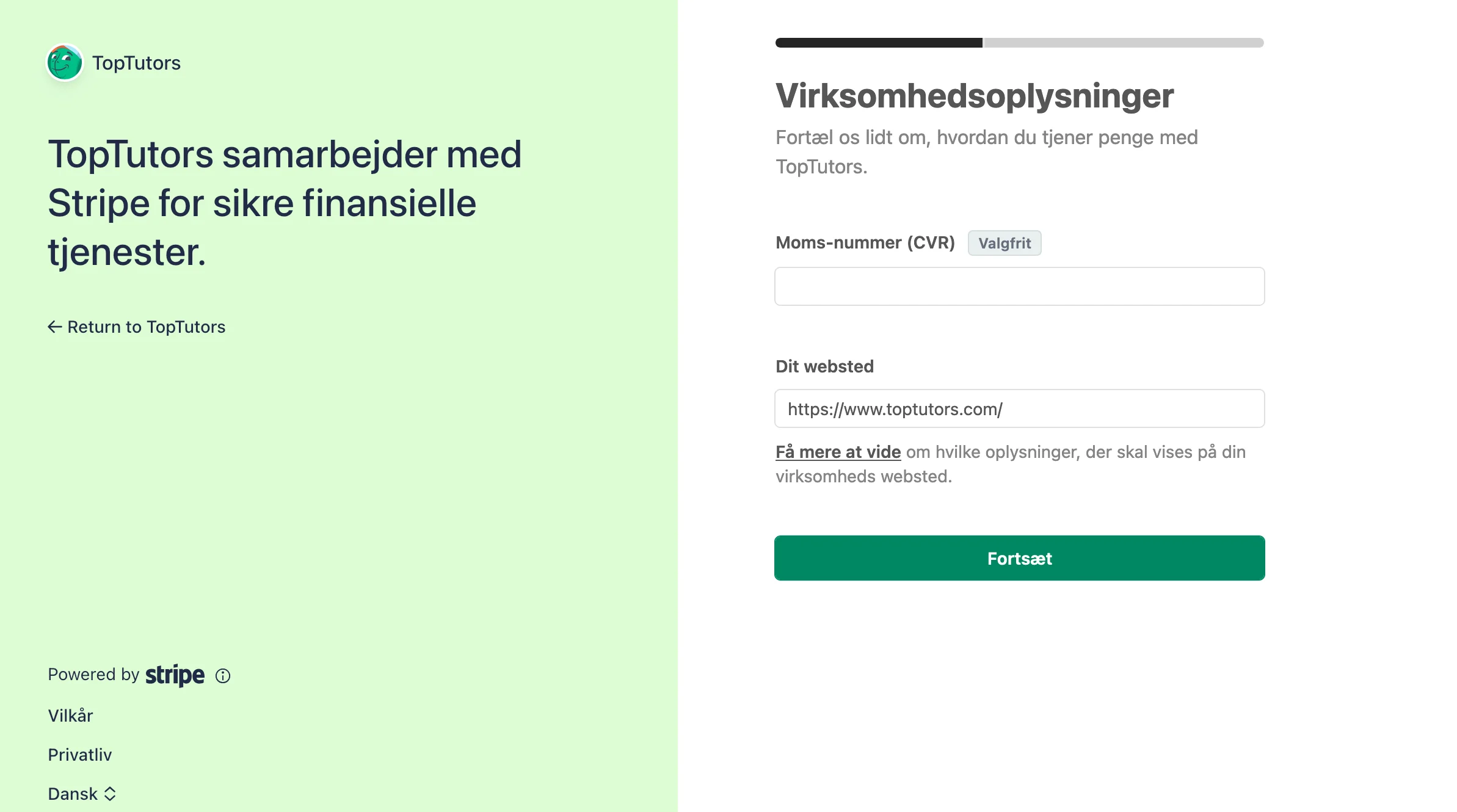
  <Step title="CVR og websted">
    Ved CVR skal du **intet udfylde**. Ved websted kan du sætte Toptutors hjemmeside ind.
    <Frame>
      <img src="https://mintcdn.com/toptutors/Yqr0pPq5KoozPyVO/generel-information/loen/images/bank-2g.png?fit=max&auto=format&n=Yqr0pPq5KoozPyVO&q=85&s=b525c70678d5b1452e1b7b29205afa8b" alt="Stripe CVR og websted" width="2386" height="1330" data-path="generel-information/loen/images/bank-2g.png" />
    </Frame>
  </Step>

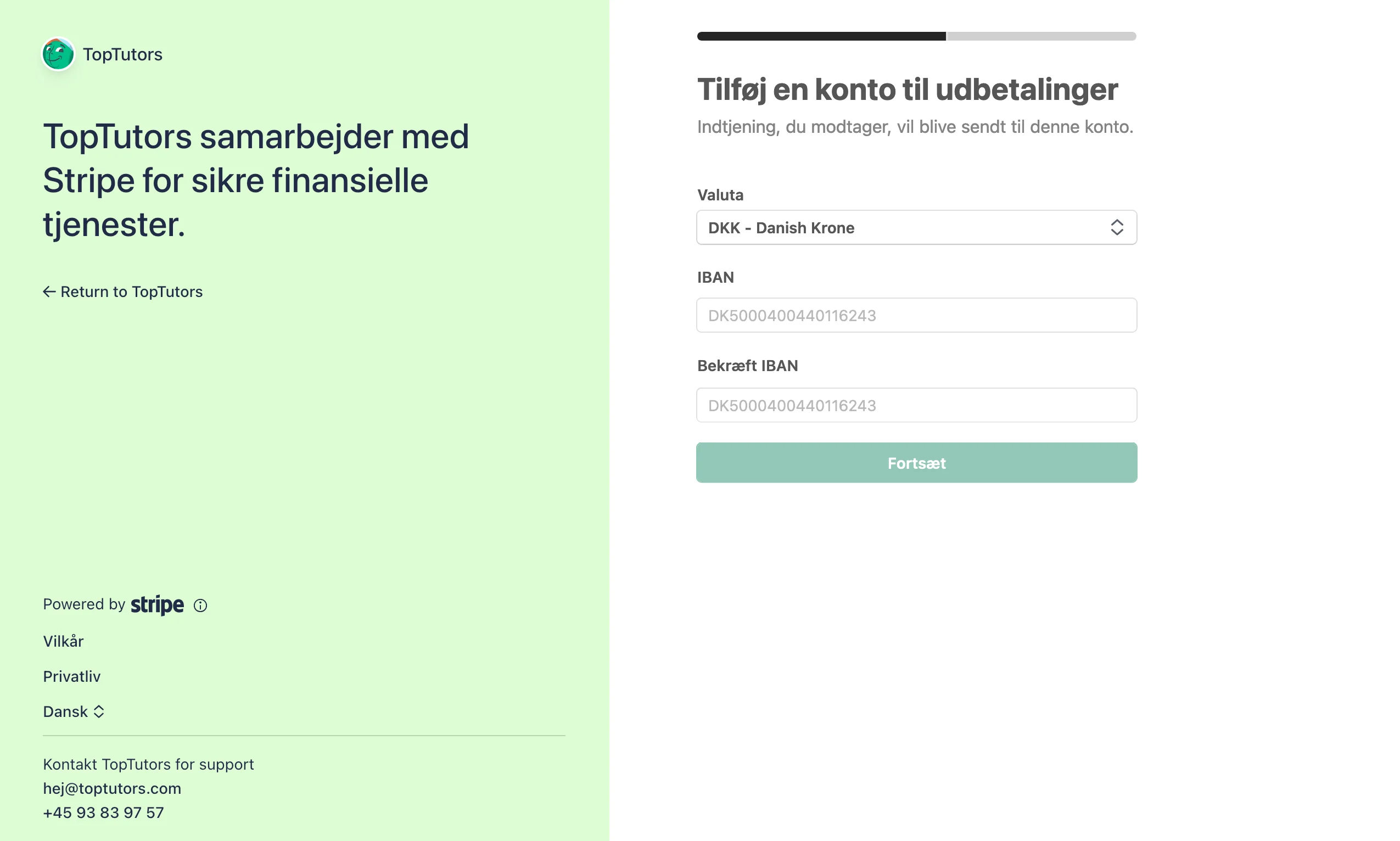
  <Step title="Tilknyt bankkonto">
    Vælg din bankkonto. Du finder dit IBAN hos din bank.
    <Frame>
      <img src="https://mintcdn.com/toptutors/Yqr0pPq5KoozPyVO/generel-information/loen/images/bank-2h.png?fit=max&auto=format&n=Yqr0pPq5KoozPyVO&q=85&s=3fed2b983fab357b5020d8df28a1a6b3" alt="Stripe bankkonto tilknytning" width="2550" height="1532" data-path="generel-information/loen/images/bank-2h.png" />
    </Frame>
  </Step>

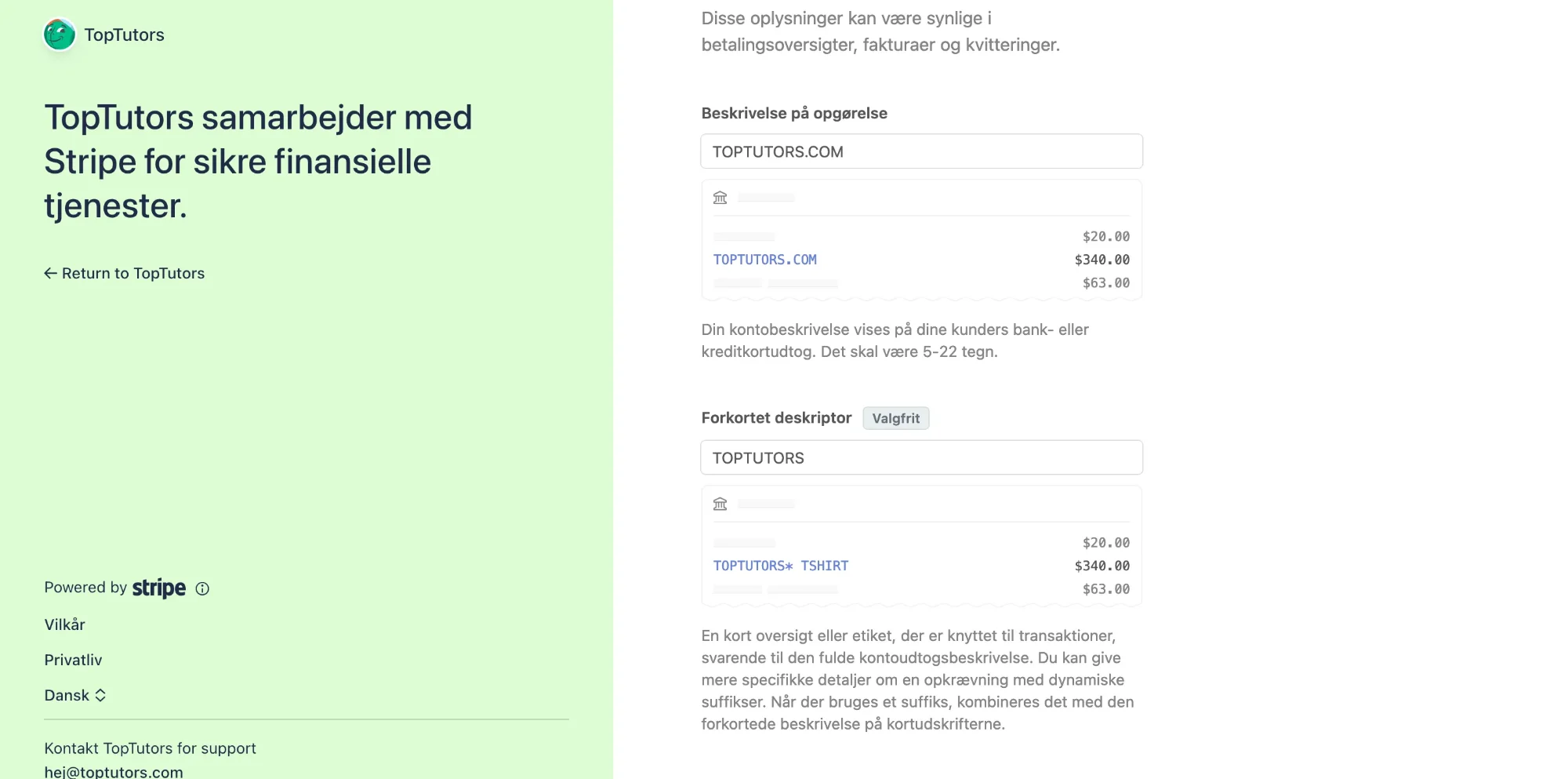
  <Step title="Navngiv dine udbetalinger">
    Vælg hvordan du vil se dine udbetalinger i din bank. Vi anbefaler at skrive **"Toptutors"** og vælge **+45 93 83 97 57** under telefonnummer for support.
    <Frame>
      <img src="https://mintcdn.com/toptutors/Yqr0pPq5KoozPyVO/generel-information/loen/images/bank-2i.png?fit=max&auto=format&n=Yqr0pPq5KoozPyVO&q=85&s=cbb6f38b667cf8a1ce8e7aaa8baebd0b" alt="Stripe udbetalingsnavn" width="2000" height="993" data-path="generel-information/loen/images/bank-2i.png" />
    </Frame>
  </Step>
</Steps>

## FAQ

<AccordionGroup>
  <Accordion title="Hvor lang tid tager det?">
    Det tager kun et par minutter at tilføje sin bankkonto.
  </Accordion>

  <Accordion title="Hvad er Stripe?">
    En sikker betalingsplatform, som håndterer udbetalinger verden over.
  </Accordion>
</AccordionGroup>
